Background
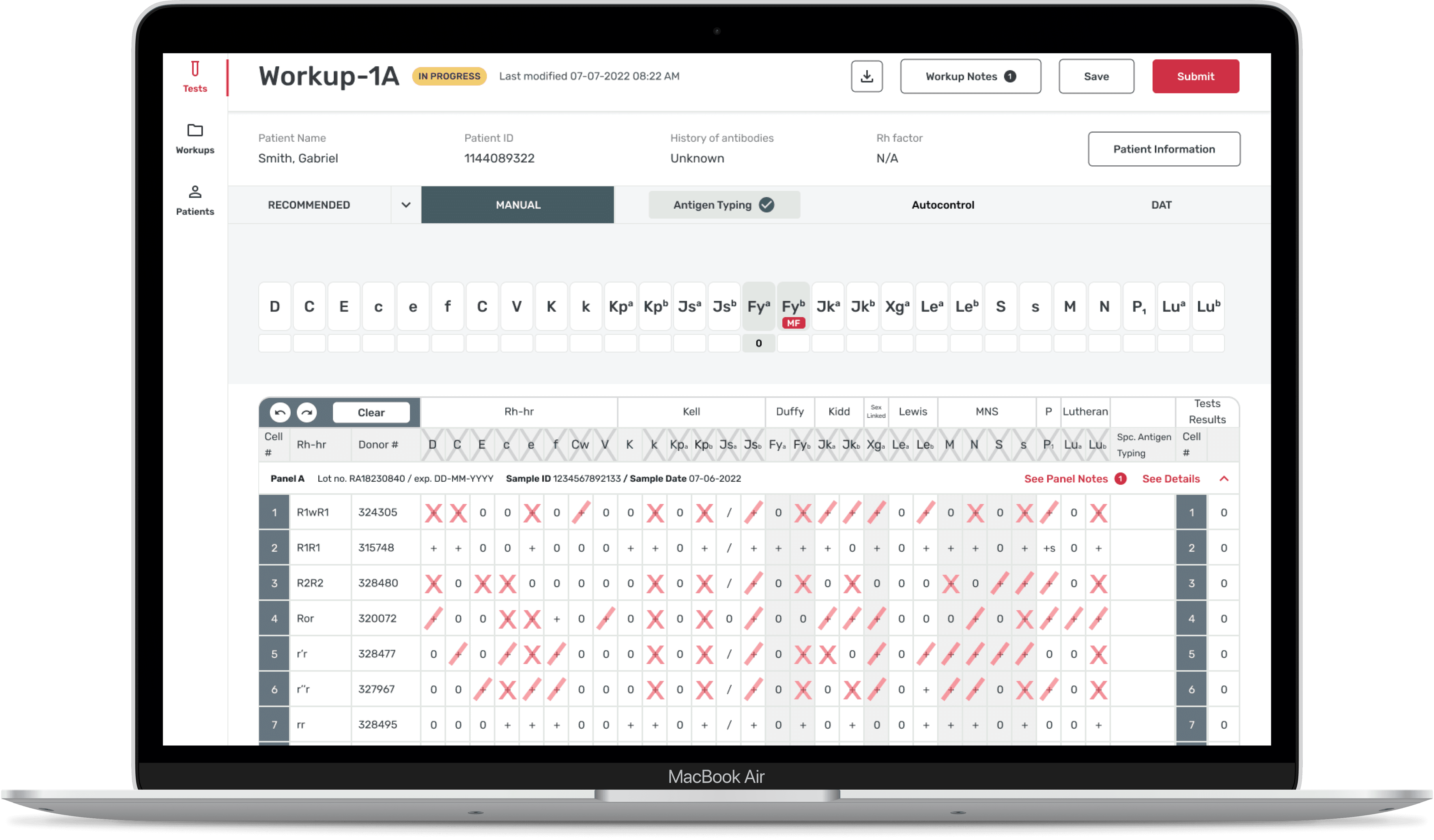
This project was a ground-up design of a desktop-based healthcare application with 2 other UX designers and a global development team.
As a UX designer, I was in charge of creating wireframes for 10+ user flows. The focus of this case study is the design of the the antigen typing (“AT”) process, one of the last steps of the antibody identification process.
Welcome to blood bank school
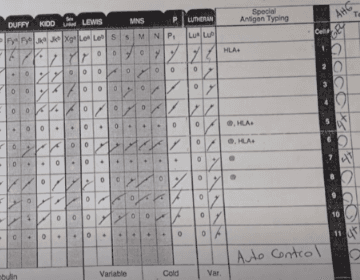
Medical technology company (“MedTech”), one of the largest global providers of products and equipment for blood testing, partnered with Concentrix to develop a digital platform that would support their medical technologists in the process of antibody identification.
The overall project goal was to:
Reduce the time it takes to identify antibodies so technologists can find compatible blood as soon as possible
Reduce the number of errors that occur with the manual process.
The antigen typing process is very input driven, with inputs directly affecting what a medical technologist sees and how they will interact with the product. Throughout the the process of creating wireframes, I collaborated with our backend developers to understand the limitations of the product and to explain the reasoning behind certain design decisions.
Designing the antigen typing process
The challenge of this project was accounting for all the possible inputs and incorporating the technical aspects of the antigen typing process.
This was a very iterative process and I used the Rapid Iterative Testing and Evaluation (RITE) method of research to quickly test, validate, and improve on designs with various stakeholders and medical technologists.
Flow #1: How to input antigen typing results
If an antigen exists, the technologist needs to be able to:
Input the the strength of the reaction from 0 - 4+
Identify the presence of discrepancies, known as a mixed field (“MF”)
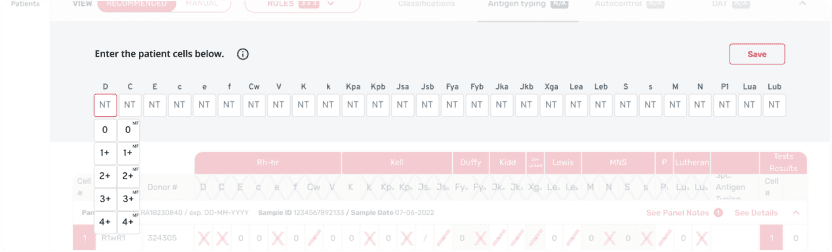
EARLIER DESIGNS used a two column dropdown, but it was confusing and cluttered.
The superscript MF text was too small to read and touch targets were too small to select.
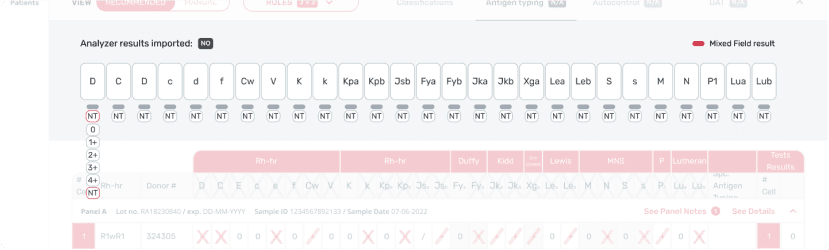
LATER DESIGNS implemented a universal strength selection.
This simplified the dropdown and made sense to technologists during prototyping, I just needed to clean up the sizing.
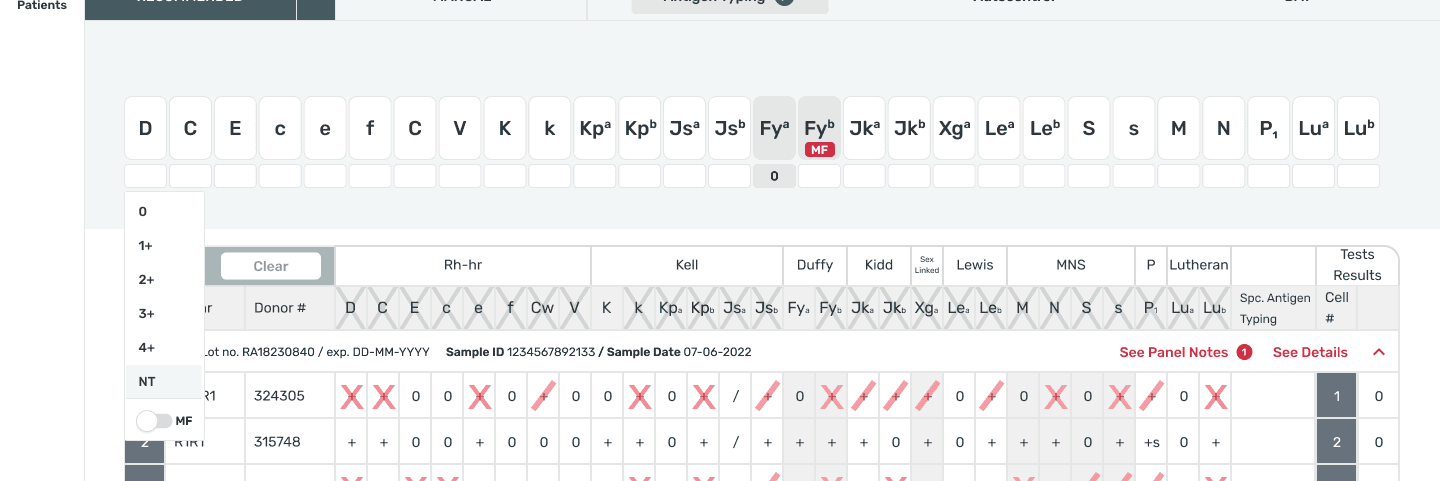
The FINAL DESIGN used a multi function dropdown to align the MF and strength selection.
Flow #2: How to accommodate for manual and system generated results
Technologists can manually perform the antigen test and/or use system generated test results. For the digitized process, users need to be able to distinguish between editable fields versus system generated, view only fields.

EARLIER DESIGNS separated manual vs. system generated results with a toggle.
During research, I learned users need to see results side-by-side so they could perform additional calculations.
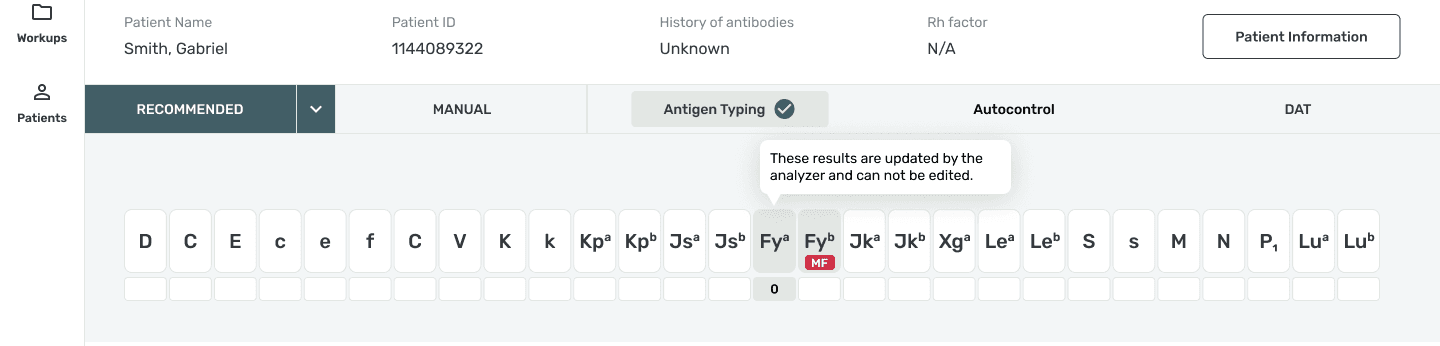
The FINAL DESIGN used a combination of color and tool-tips to distinguish between editable manual inputs (white) vs. system generated, view only inputs (grey).
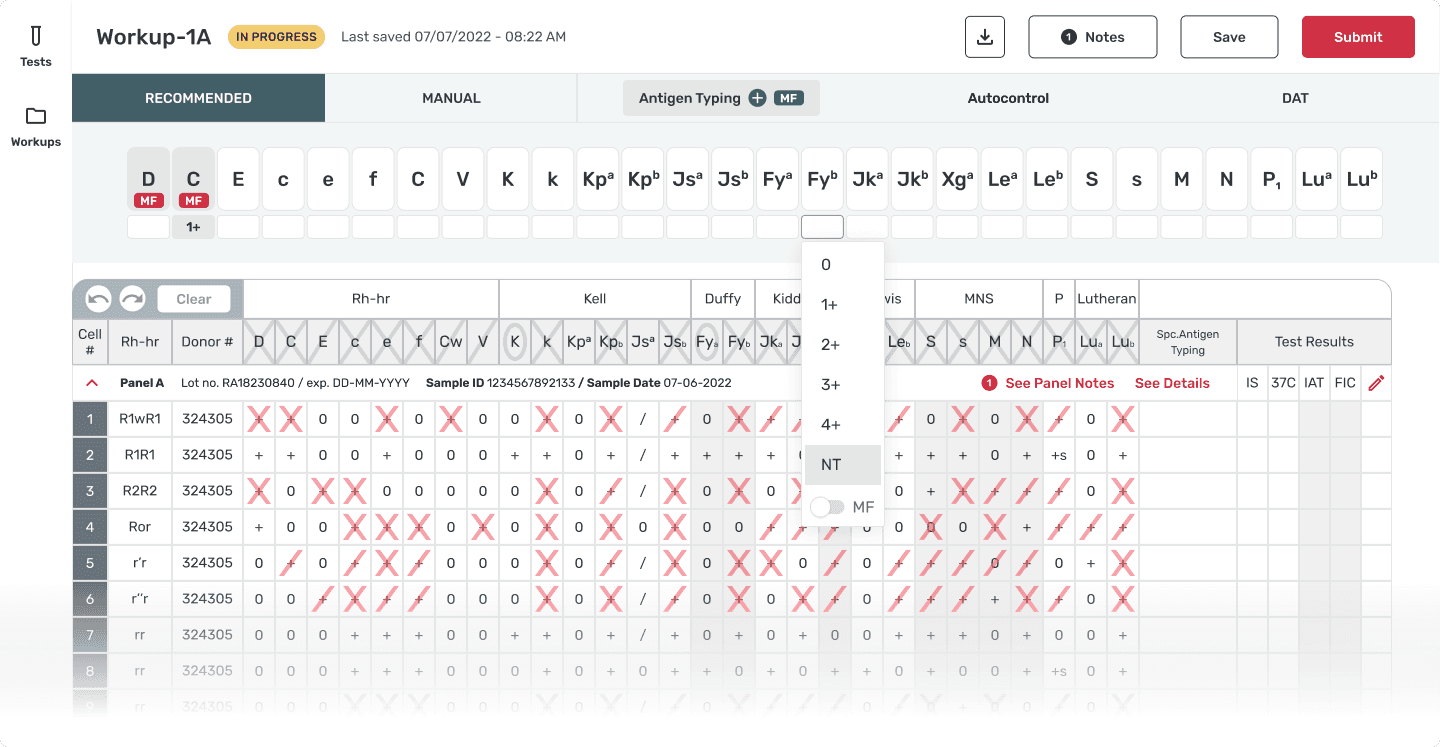
Final Antigen Typing Wireframe
Outcome & Wrap-up
Version 1.0 was released to the internal MedTech team and we began the initial stages of mandatory Human Factors and Usability Engineering (HFUE) testing. As the same time, through testing and continued input from MedTech, we developed a backlog of features and improvements.
Unfortunately, as testing for HFUE began, we were informed that MedTech underwent an organizational restructuring. All design and development work was immediately cancelled. We finalized the design library and documentation before handing off all design assets to MedTech.
The end of the project was sudden and unexpected but I'm thankful for the generous feedback from my design team and the opportunity to design flows that had potential life saving impacts.
the end! Return to selected work