Background
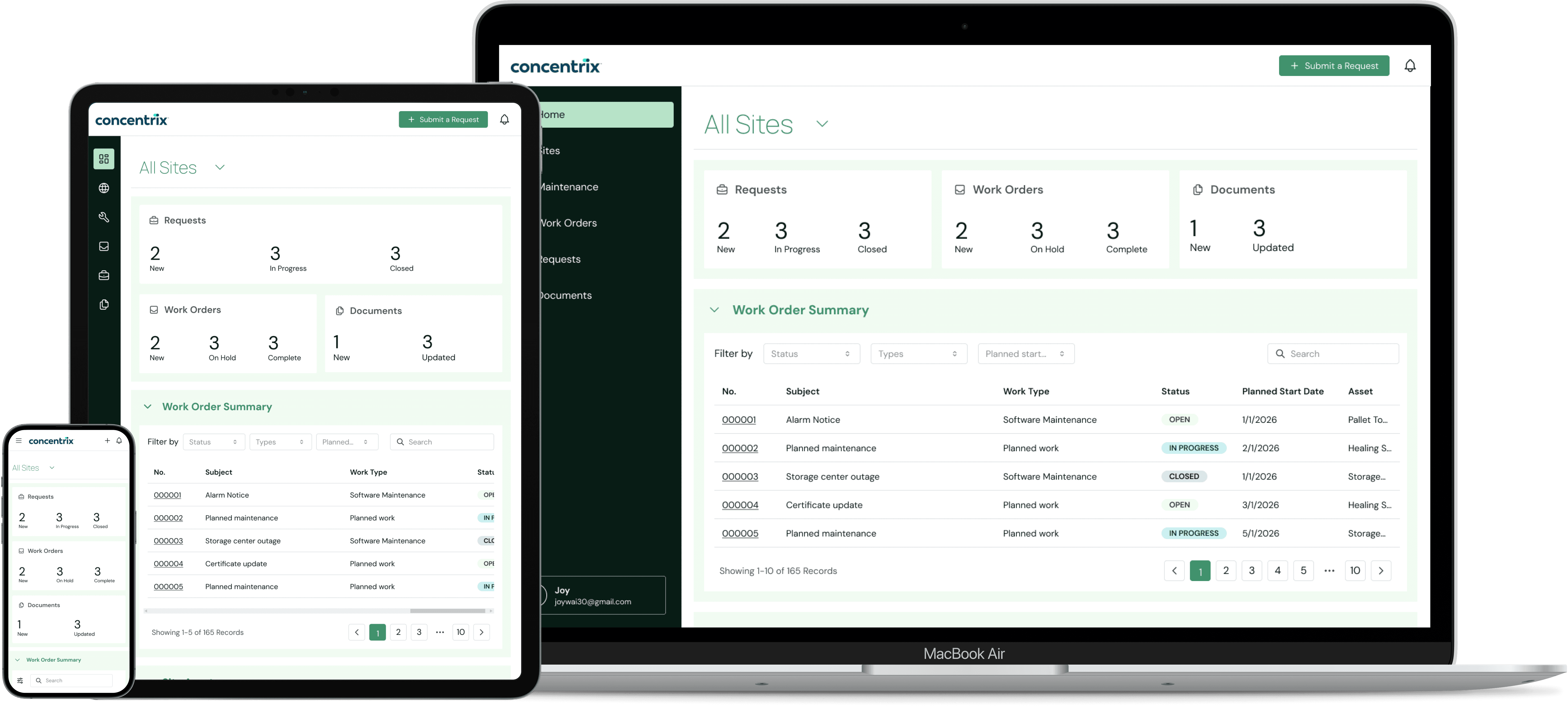
Concentrix partnered with Energy Co. (“Energy”) as their collaborative design and development team to lead the end-to-end design, build, and launch of a new customer portal. As Energy’s customer base and product offerings expanded, the need for a centralized digital experience became increasingly urgent. With experience in rapid design iterations and stakeholder management, I was brought on the project as the only dedicated UX designer.
What We Learned
Limited visibility despite existing infrastructure
Customers lack real-time visibility into their services, even though the underlying data exists within Salesforce.
Disconnected product experiences
Energy Co. offers multiple products and services, but customers must log into separate systems to manage them.
Manual, fragmented communication process
No centralized repository for documents or updates. In a highly regulated environment, updates are shared ad hoc via email through sales representations.
With 16-week timeline for design and development leading up to pilot launch, our focus was on designs that were both repeatable and scalable. The development team used Mantine for interface development so the design team heavily referenced the Figma Pretine Library to ensure alignment and feasibility between design and implementation.
This foundation set the stage for designing the strategy and structure of the homepage.
Homepage Strategy & Definition
Early in the project, we aligned on the homepage functioning as a dashboard where customers could quickly understand important information related to their accounts.
From the start, the requirements were very ambiguous. Energy had a long list of desired features but limited clarity on what information was most critical or how it should be structured.
"We'll need a dashboard w/ work orders, maintenance plans, monthly reports, appointments, operations, surveys, quoting, invoicing, knowledge share..."

To guide early conversations, I used ChatGPT to generate a prioritized set of requirements and recommendations for a customer portal landing experience, which I then fed into Figma Make. The initial design was very stripped down, but it helped visualize potential sections, widgets, and information hierarchy.
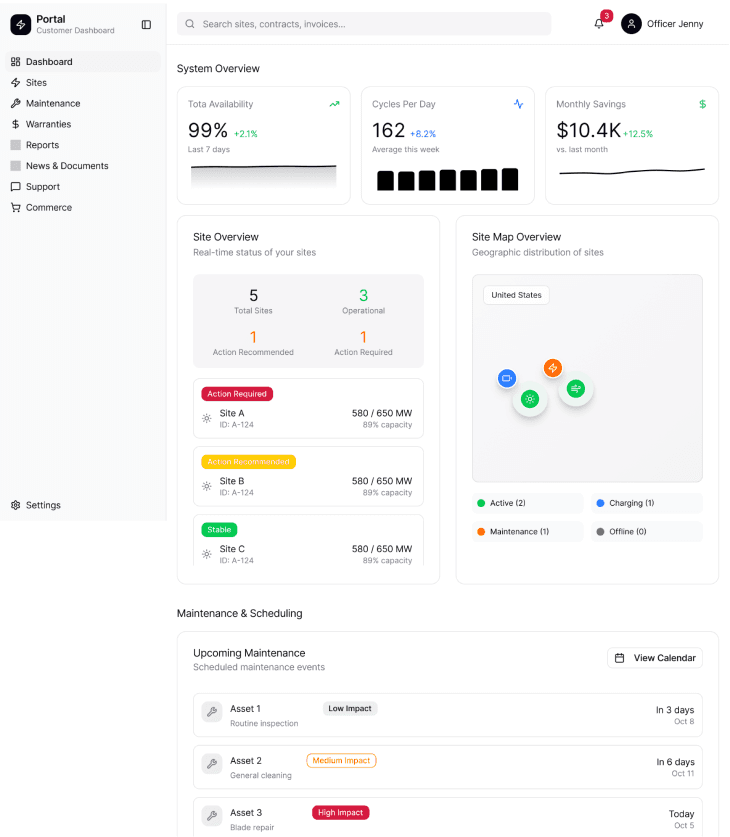
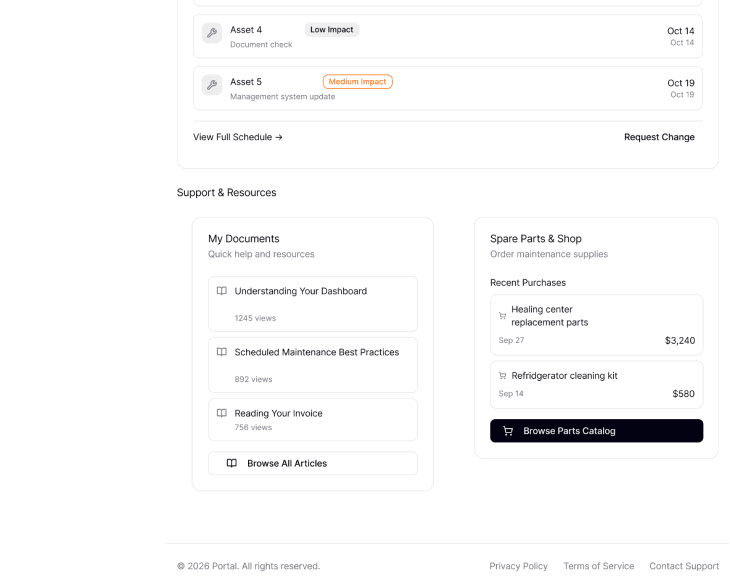
I used the Energy’s Salesforce instance to ground the designs in real data, moving from generic layouts to more realistic designs. I documented questions and assumptions, many focused on information architecture and scalability:
How should the UI adapt when users manage a large volume of data?
At what level do key data objects live? For example, are documents associated with an account, site, or asset?
How is customer data structured in Salesforce?
How many accounts does a typical user manage? How many sites and assets per account?
These questions ultimately drove decisions around what data would be surfaced at the homepage level versus what required deeper navigation.
Understanding the Client's Data Model
We learned that, at a high level, the information stored in Salesforce followed a hierarchical
structure of Account → Site → Asset
Account represented the big umbrella and highest-level entity (e.g., Kanto Region)
Sites represent groupings or a location within an account (e.g., Viridian City, Pallet Town)
Assets are the individual components associated with a site (e.g., Pallet Town Poke Center Building, Healing Station, Storage System)
Because all relevant data ultimately rolls up to the site level, we made the decision to anchor the portal experience, including the homepage dashboard and subsequent pages, around sites.
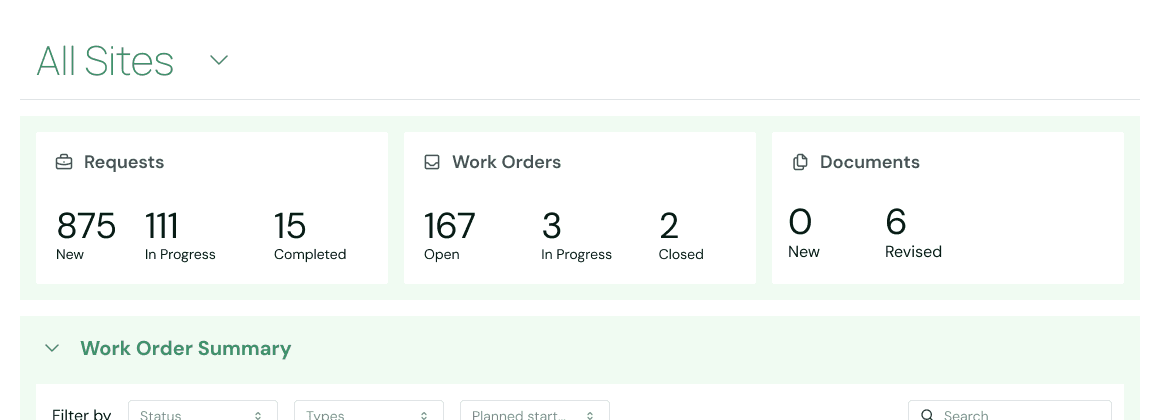
Upon landing on the dashboard, users are presented with an all-up, consolidated view of their data across all sites. From there, they can drill down into specific site to view more targeted information.
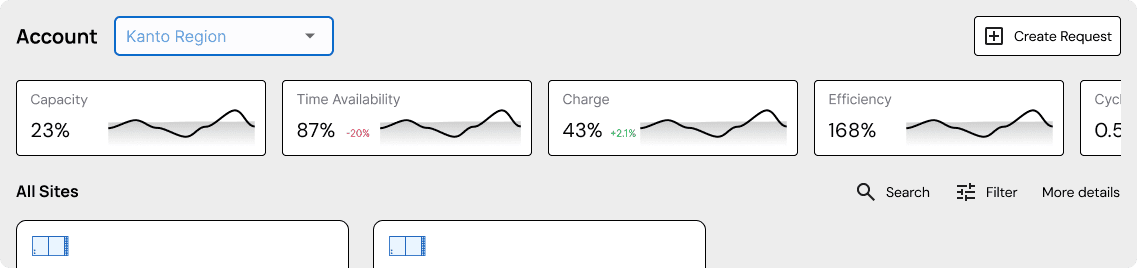
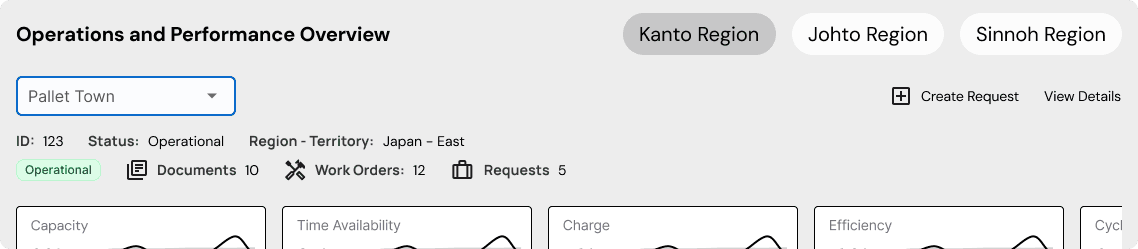
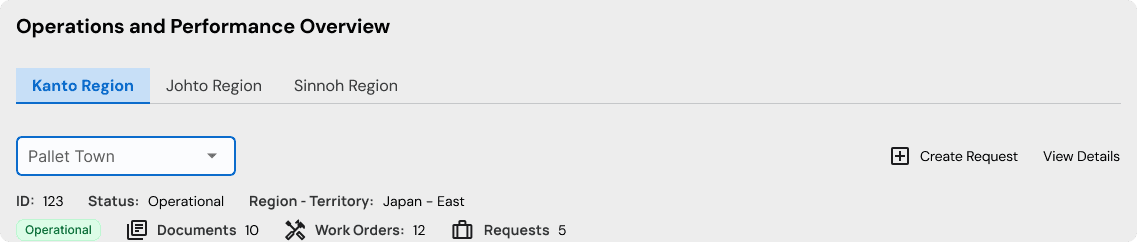
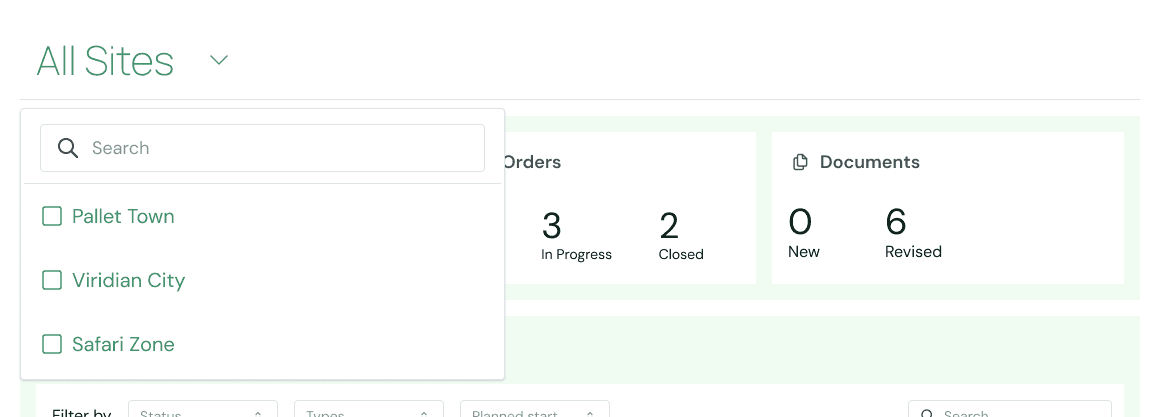
I explored several UI patterns for site selection, including tabs and pills, but decided on a dropdown. It was a familiar interaction patterns, accommodates varying site name lengths, and supports future growth.
Iteration A: Dropdown
Iteration B: Pills
Iteration C: Tabs
Earlier designs show ‘Account’ as the filter. This was changed to Site once data hierarchy was established. Data visuals were also shifted from Phase 1 to Phase 2 due to feasibility.
Final default view of all sites
Site selection dropdown
View of two sites selected
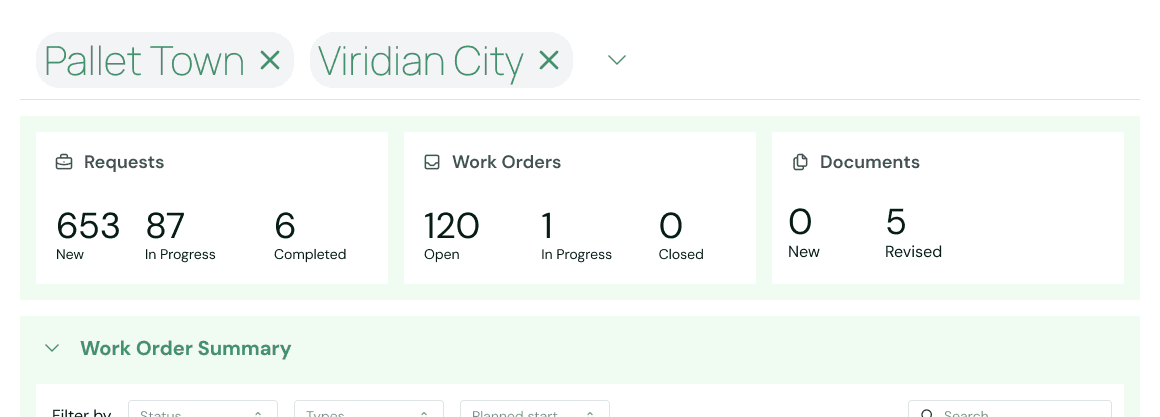
Used H1 font for the site filter and established it as the homepage header
Designing for Data Density and Scale
For the first phase of the project, Energy aligned on three core features they wanted users to access immediately upon landing on the homepage:
Work Orders
Customers should see all active and open work orders associated with their sites.
Asset List
Customers should see all the assets associated with their sites, along with any relevant info.
Document Repository
Currently, updated documents are emailed to customers or customers can request specific documents through email.
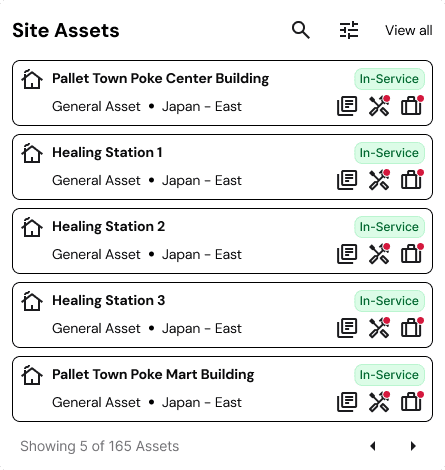
I started iterating, keeping in mind patterns that could repeat and scale. I referenced tutorials, videos, handbooks of direct and indirect competitors to understand best practices.
Mini asset cards
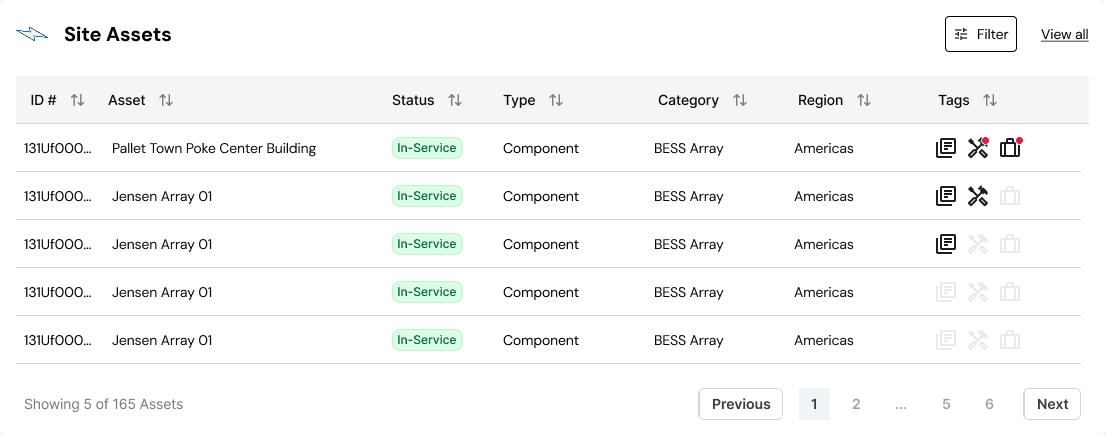
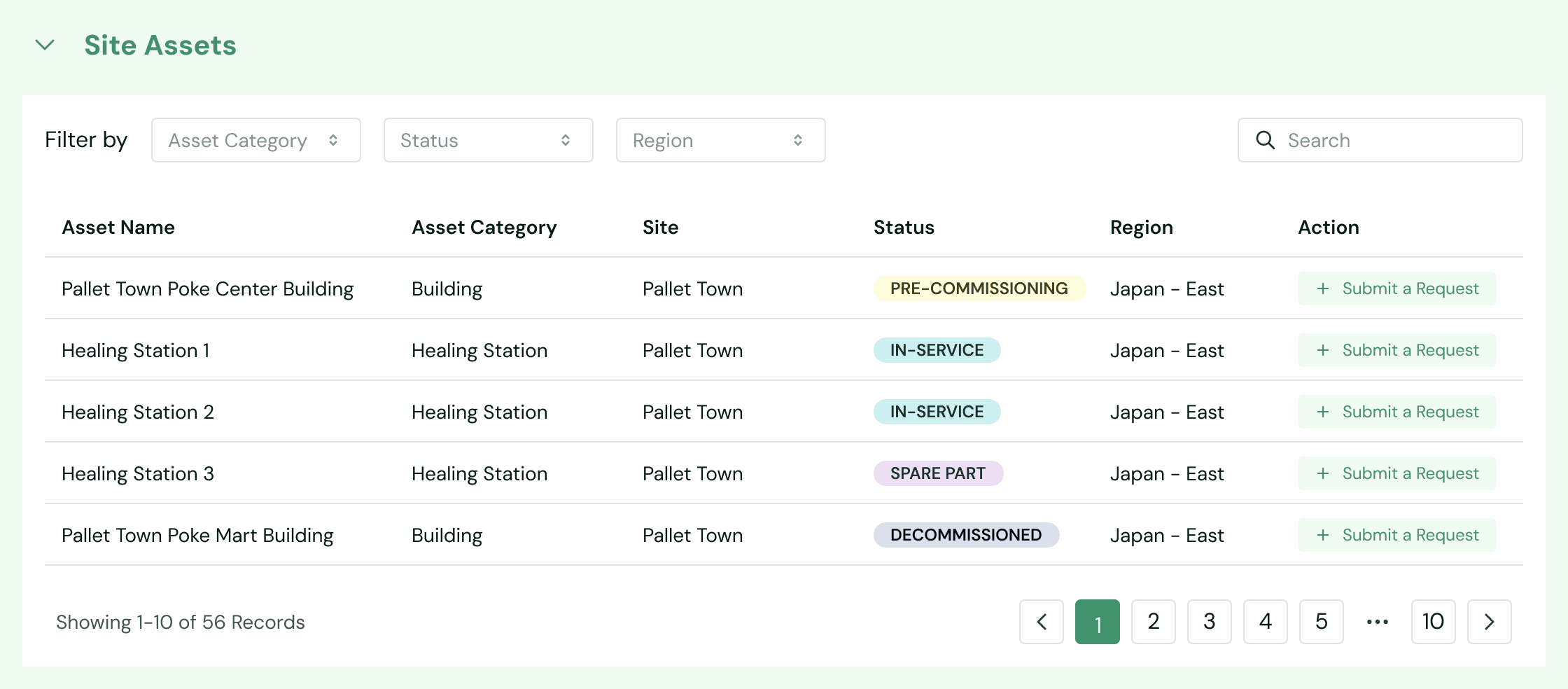
Assets in a table format
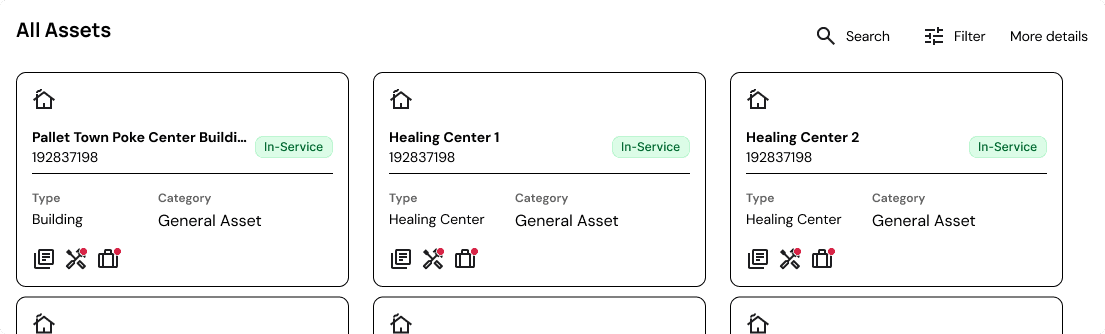
Bigger asset cards
Document cards
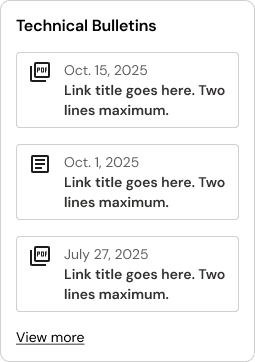
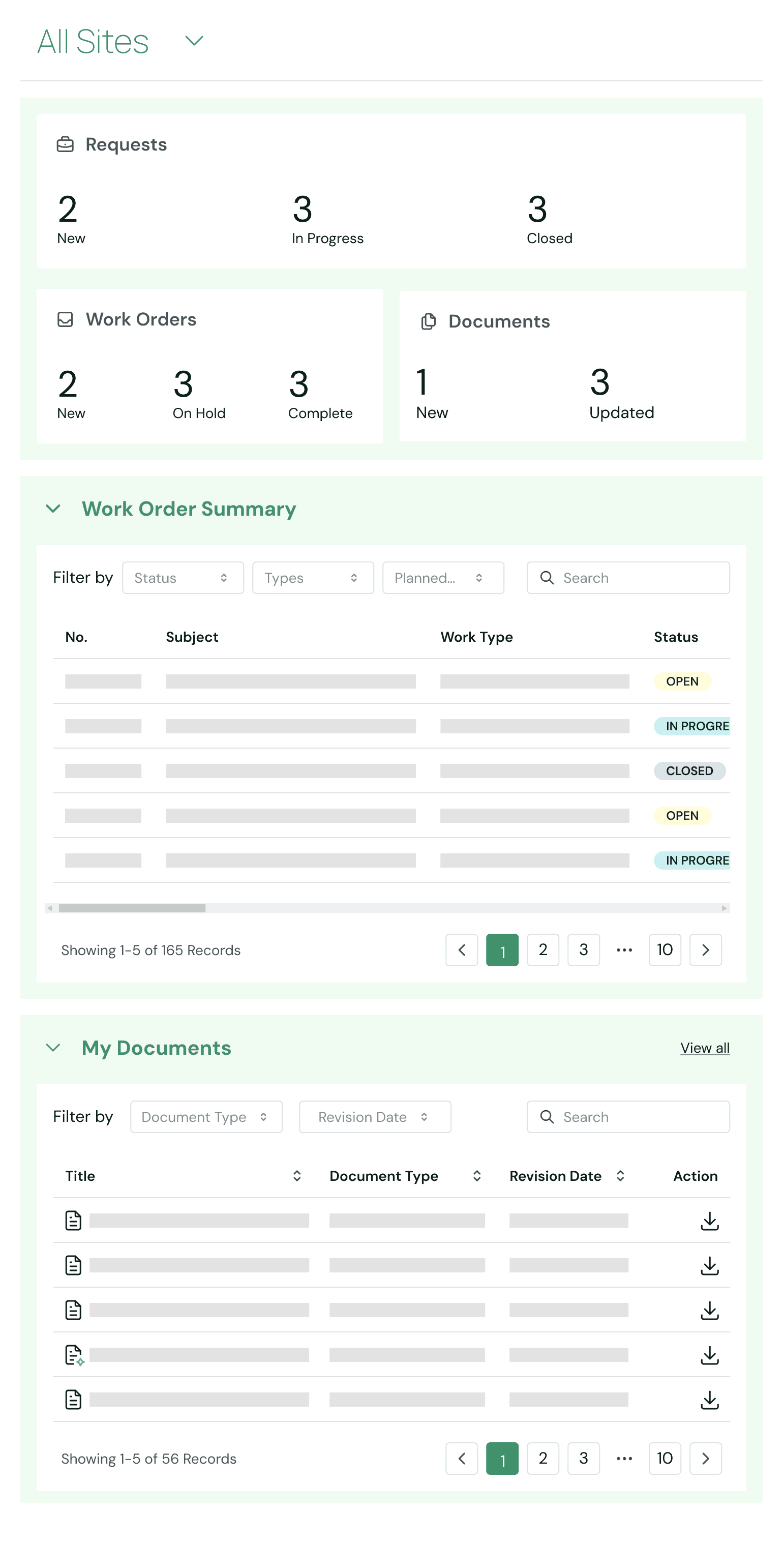
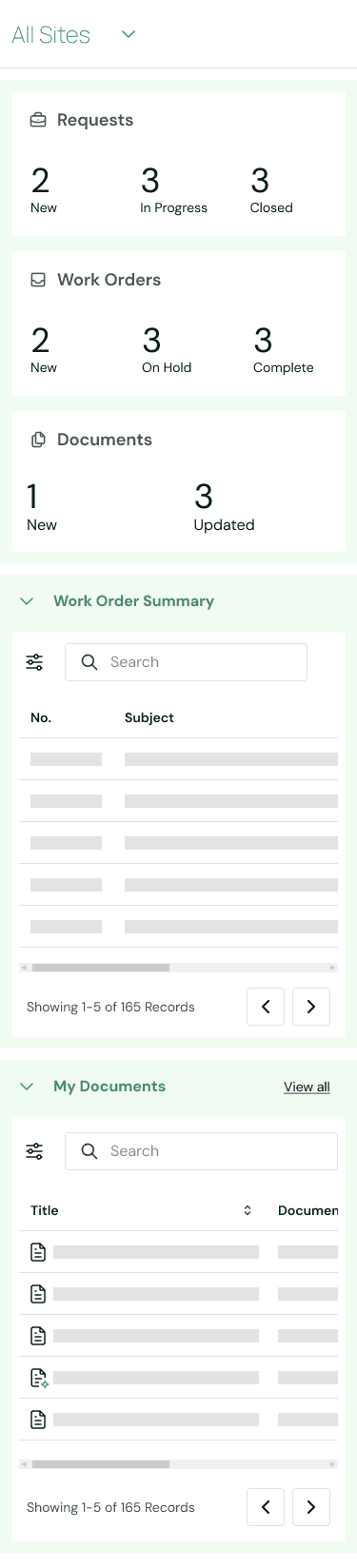
I explored several different patterns, from cards to tables. Given the ambiguity around widget count and content volume, I prioritized flexible components that could scale and stack across different screen sizes as the requirements evolved.
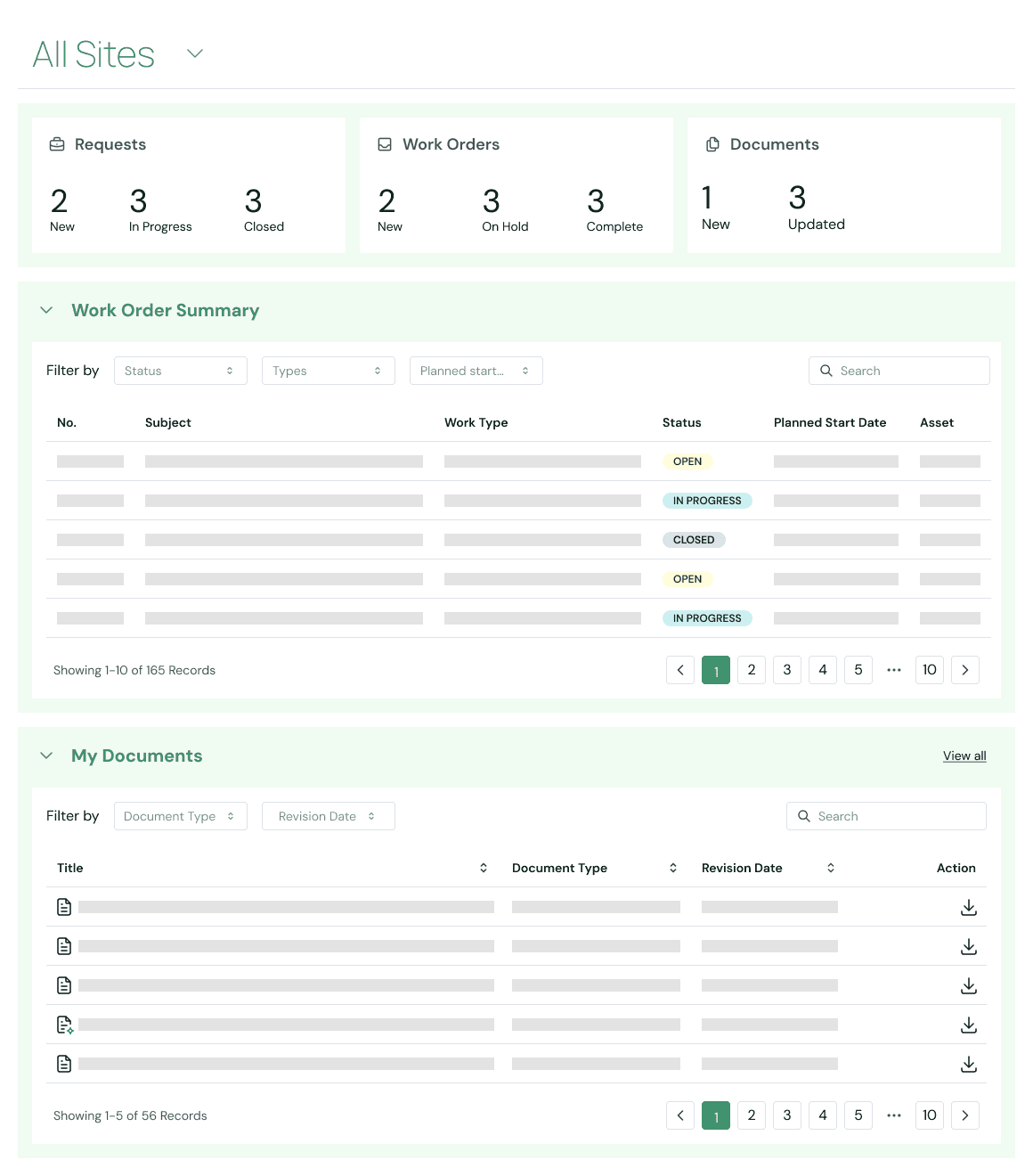
Because one of the primary goals was to surface existing Salesforce data in a way that was easier for customers to consume, I chose tables as the foundational pattern for presenting large volumes of data in a structured way. I incorporated sorting and filtering and established a shared badge system to visually communicate statuses in a consistent way across work orders, assets, and documents.
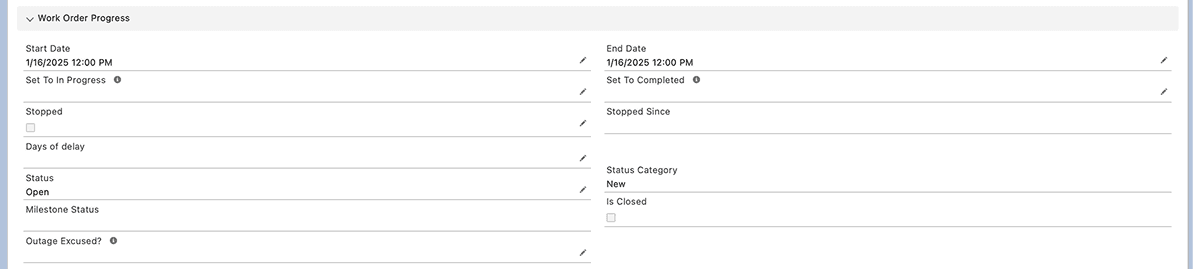
For sections that were more text-heavy, I applied the same principles of structure and scalability by grouping related data fields and using spacing and visual hierarchy to transform raw Salesforce data into a cleaner, more consumable experience for customers.
Data in Salesforce
Data in the Portal
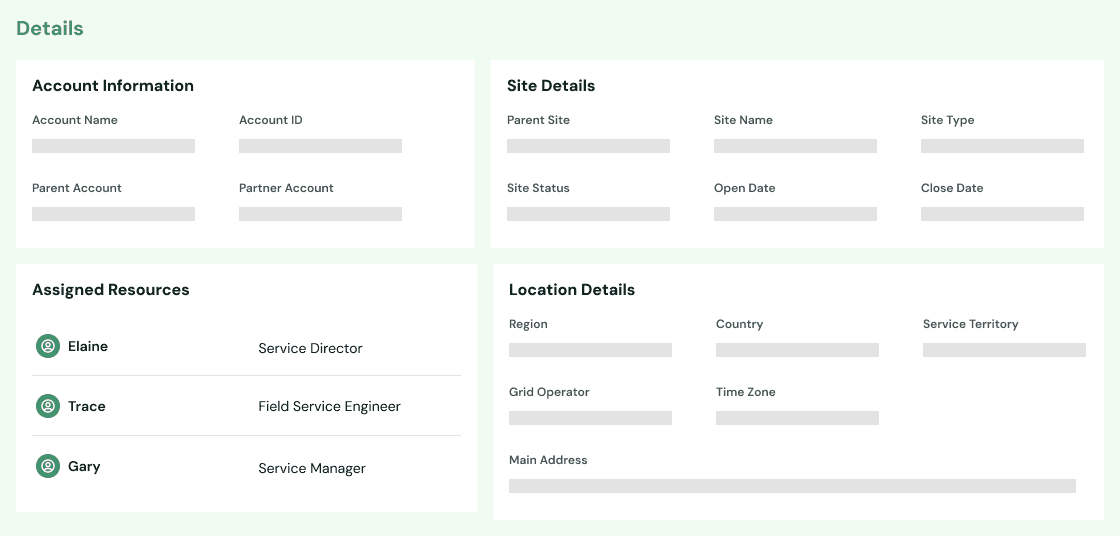
Spacing and visual hierarchy makes the data cleaner, easier to scan
While the repeated use of tables favored functionality over visual variety, this consistency helped create a recognizable pattern throughout a data-heavy application. It also reduced development overhead in Phase 1, allowing us to create a foundation that could be enhanced later on with more visual summaries and card-based layouts.
Final Template Designs on the Homepage
Desktop
Tablet
Mobile
Pilot & Next Steps
A pilot version of the portal is now live and has been released to a small subset of customers. During this phase, I am partnering closely with the development team to conduct QA, while also supporting the research lead in planning and executing user research to validate early assumptions and identify opportunities for improvement.
Phase 2 will build upon the foundation established in Phase 1, with the current goal of increasing interactivity between Energy Co and its customers through more self-service capabilities. Insights gathered during the pilot will directly inform our next iterations and ensure the portal evolves in response to real customer needs.
the end! Return to selected work